
Version 1.31 of GPX Viewer PRO on iOS introduces several useful features that make working with tracks and maps more convenient: measurement tool, changing track direction, and legends for offline map styles. These practical tools improve everyday use of the app and help you better understanding map data, whether you’re preparing for a trip at home or navigating outdoors. Let’s take a closer look at what’s new.
Measure distances directly on the map
When exploring the map, it’s often useful to quickly check how far two points are from each other. With the new measure tool, you can now calculate distances directly on the map screen. For example, if you spot a viewpoint on the map, you can immediately check how far it is. You no longer need to estimate distances visually or rely on external tools — everything is available directly within the app.
To start, activate the measurement tool in the top-right part of the screen. Then tap the “+” button in the right-side menu to add your starting point. Once the first point is placed, move the crosshairs across the map to choose the next location. You can continue adding more points if needed, allowing you to measure longer or more complex distances step by step.
As you move the crosshairs, you will see the distance from the starting point displayed above them, and the azimuth shown underneath. This allows you to understand not only how far the next point is, but also in which direction it lies. The azimuth is especially helpful if you want to follow a specific bearing, for example when crossing open terrain, navigating without visible trail markings, or aligning your movement with a compass direction.
Seeing both distance and azimuth helps you better understand the terrain around you. You can quickly evaluate shortcuts, estimate distances across open areas, or check whether a direction aligns with your planned route.


Reverse track direction when needed
Sometimes you import a track that was originally recorded in the opposite direction of how you plan to use it. Version 1.31 adds a simple option to change the track direction. Just select your track, tap the menu icon in the top right corner, tap and confirm Reverse direction. This feature gives you more flexibility while working with your tracks.

Legends for offline map styles
Offline maps are essential when exploring remote areas without mobile signal. However, different map styles often use varying symbols and visual elements, leaving you unsure of their meanings at first glance.
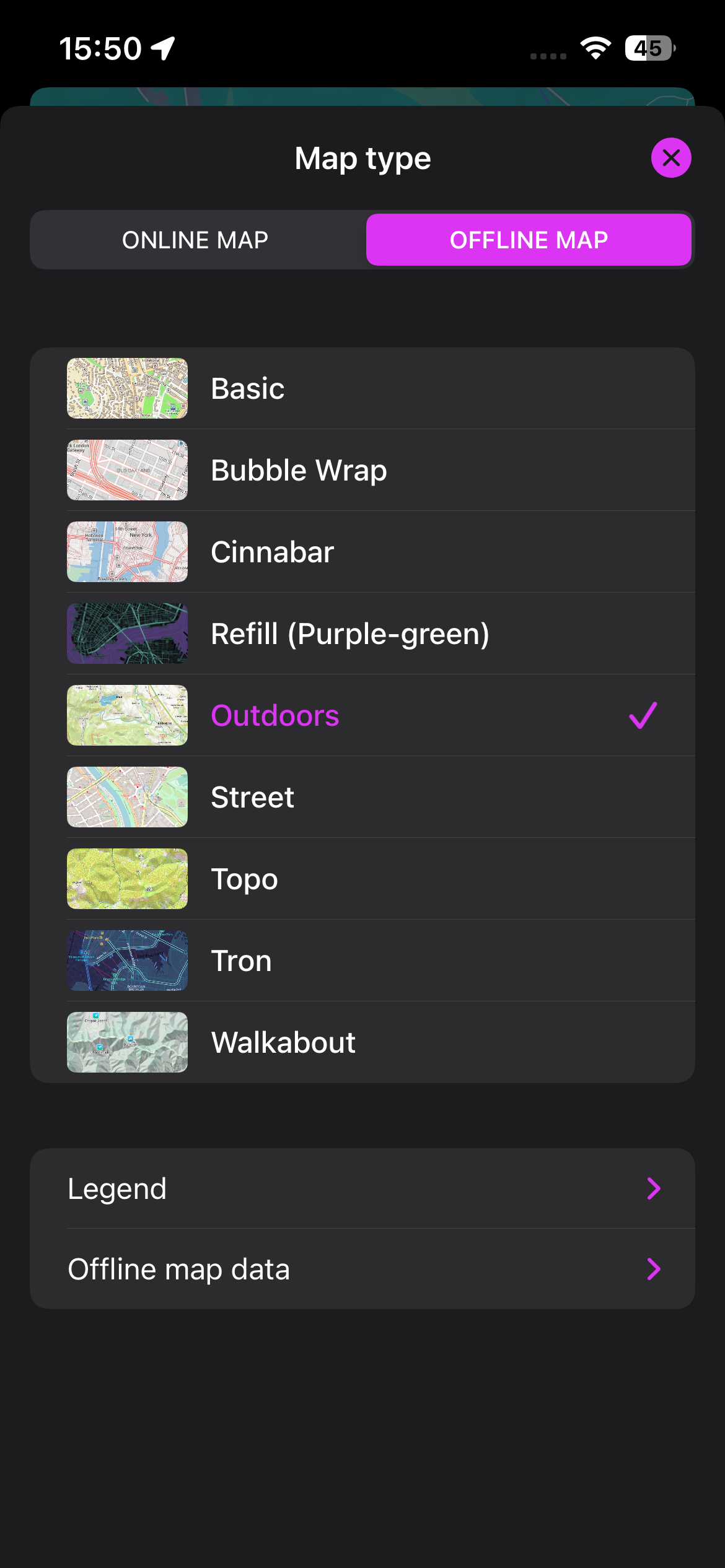
Now, we’ve added legends for every offline map style to make things easier. Just select your preferred offline map style, then tap the Legend button at the bottom of the screen to view explanations for every marking. Legends make offline maps more informative, improve map readability and help you feel more sure when exploring new places.
Taking a look at the legend is especially useful when traveling abroad or using a map style you are not familiar with. Having a legend directly available in the app means you can quickly understand what you’re seeing

We hope these new features make GPX Viewer PRO on iOS even more useful for your outdoor activities. If you haven’t tried version 1.31 yet, update the app and explore the new tools on your next adventure. As always, we continue improving the app, so stay tuned for future updates.